Module Bundlers
A module bundler is a tool that takes pieces of JavaScript and their dependencies and bundles them into a single file.
A website is built using multiple tools. For example, JavaScript, HTML, CSS would be considered the bare minimum. However, things are a lot more complicated nowadays for a complete website to be built and many languages, tools and libraries are usually needed. To combine them all for optimization and to make sure they all work together is a difficult task. That’s where Module bundlers come in.
A module bundler, basically, bundles all the assets used together.
Webpack
Get started
-
Create a project and make a file index.js inside a folder src
-
Open a terminal in that project’s folder and type
This component was made by Stratis Dermanoutsos. The code can be found here.to create a package.json file
-
Install a module for testing
This component was made by Stratis Dermanoutsos. The code can be found here. -
Create a folder public inside the project’s folder and create index.html file inside this folder and paste
<!DOCTYPE html> <html> <head> <meta charset="utf-8"> <meta name="viewport" content="width=device-width, initial-scale=1.0"> <title>Document</title> <script src="../src/index.js"></script> </head> <body> </body> </html> -
Inside the index.js file, paste
This component was made by Stratis Dermanoutsos. The code can be found here.
If you open index.html with a browser and head to the console, you’ll notice an error.
-
Open a terminal in the project’s folder and type
This component was made by Stratis Dermanoutsos. The code can be found here.to install Webpack
-
Open the package.json file and paste
This component was made by Stratis Dermanoutsos. The code can be found here.inside the “scripts” section
-
Open a terminal in the project’s folder and type
This component was made by Stratis Dermanoutsos. The code can be found here.to compile our code
-
Now, inside the index.html, change the script src attribute like so
<script src="../dist/main.js"></script>
If you head back to the browser and open the console, you will see a ‘helloWorld’ being printed successfully.
It is very important to know that Webpack is currently using the DEFAULT configuration which means that it is specifically looking for the index.js file inside the src folder. However, in some cases, you will want/need to configure Webpack yourself.
-
Create a webpack.config.js file inside our project’s folder and paste
This component was made by Stratis Dermanoutsos. The code can be found here.Notice, to include many entry points (this is called CODE SPLITTING) you need
This component was made by Stratis Dermanoutsos. The code can be found here.More options, for example, output
This component was made by Stratis Dermanoutsos. The code can be found here.
Include SASS
-
Inside the src folder, create a file style.scss and paste your desired or even random SCSS code
This component was made by Stratis Dermanoutsos. The code can be found here. -
Include it in the index.js file
This component was made by Stratis Dermanoutsos. The code can be found here.
Now, notice that if you try to build with
an error will occure. That’s because we do not have a loader for our SASS.
To solve this, simply open a terminal in the project’s folder and type
-
Include the modules in the webpack.config.js file, inside the “module.exports” section. The end result should look like this
This component was made by Stratis Dermanoutsos. The code can be found here.
Analyze bundle (using plugins)
-
Open a terminal in the project’s folder and type
This component was made by Stratis Dermanoutsos. The code can be found here. -
Paste
This component was made by Stratis Dermanoutsos. The code can be found here.in the webpack.config.js file, outside of the “module.exports” section and
This component was made by Stratis Dermanoutsos. The code can be found here.inside the section.
-
When you build, you should see this screen
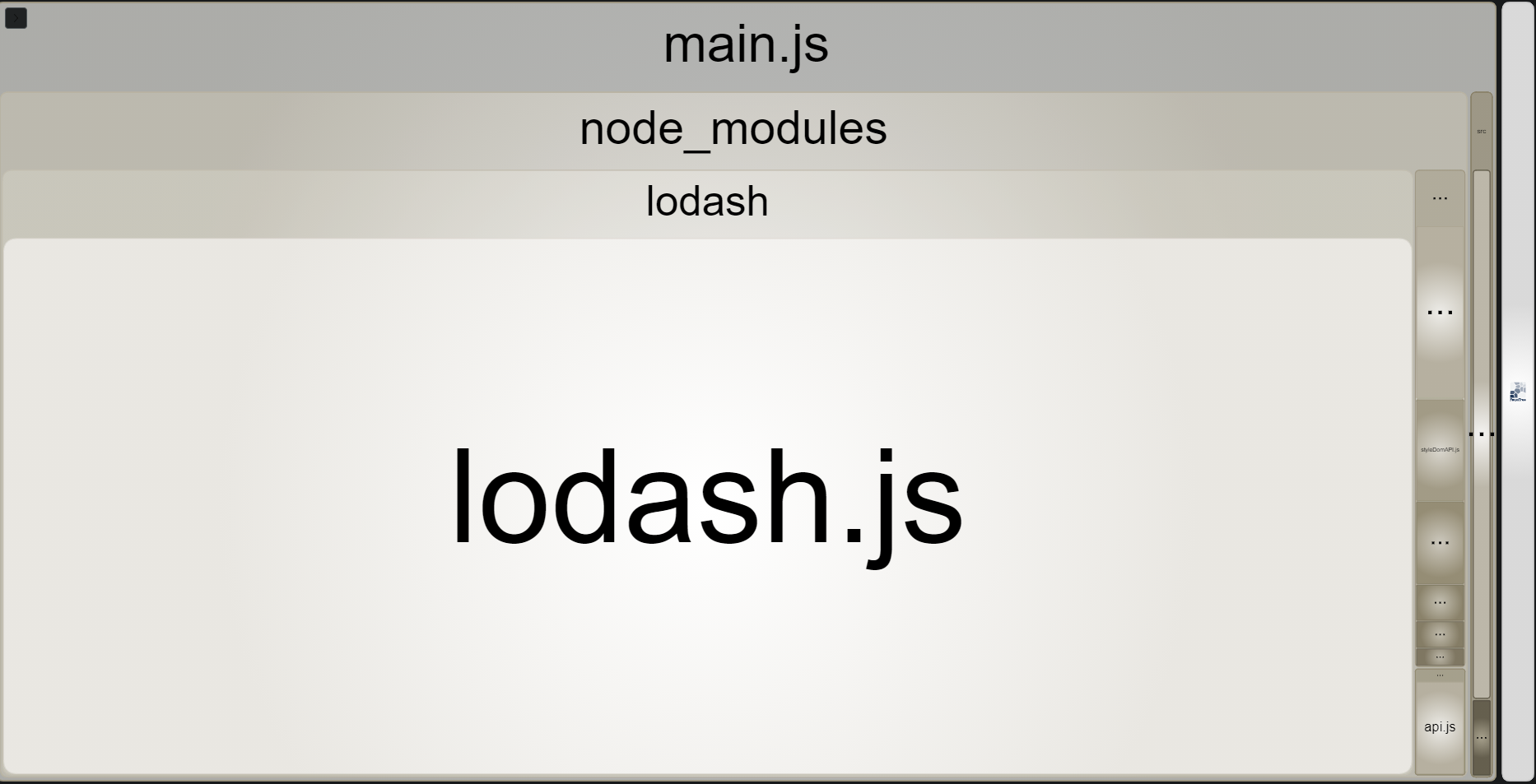
Setup local web server
-
Open a terminal in the project’s folder and type
This component was made by Stratis Dermanoutsos. The code can be found here. -
In the webpack.config.js file, outside of the “module.exports” section, paste
This component was made by Stratis Dermanoutsos. The code can be found here. -
Open the package.json file and paste
This component was made by Stratis Dermanoutsos. The code can be found here.inside the “scripts” section
-
Start server by typing
This component was made by Stratis Dermanoutsos. The code can be found here.inside the terminal